After upgrading to version 2025.3.0, some eDoc emails in HTML format may not display correctly.
Instead of showing the formatted email, the message may appear as raw HTML code (including content‑type headers and encoded text).
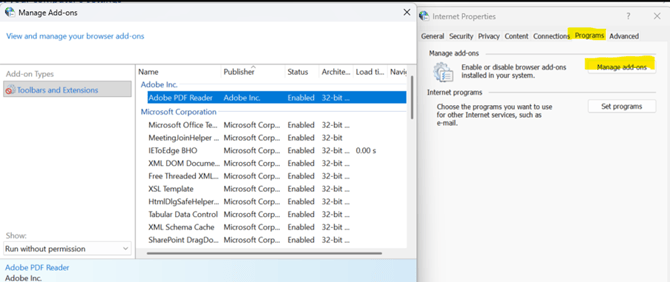
This can occur in environments where a required add‑on is disabled in Internet Explorer / Microsoft Edge (IE mode).
What your IT administrator needs to do:
- On the server, open Internet Explorer / Microsoft Edge (IE mode) and go to Manage add‑ons.
- Find and enable the “Adobe PDF Reader” add‑on.
- Push this setting to all PCs (or the relevant user group) so that the Adobe PDF Reader add‑on is enabled by default for all affected users.