
Ever wondered if it is possible to insert a line into a Sales Order to keep items in a particular order (not necessarily stock code order)?
Here’s how:
Enter a Sales Order with 3 lines on it. (The 3rd line being the one you want to insert between lines 1 and 2). Click on line 3, then click into the 'Line Item' tab, change the 'Line #' from 3 to 2, then press the 'Re-number' button. This effectively inserts what was 'line 3' up to 'line 2' and moves line 2 down.
Example:
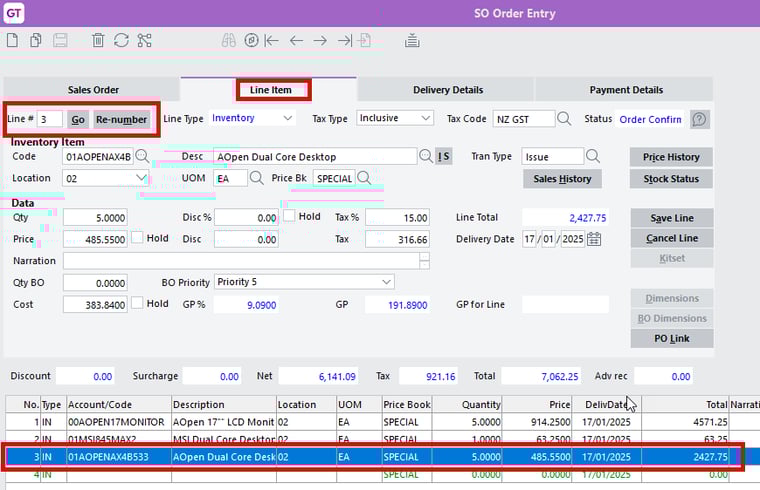
On the Line Item tab, highlight the line you want to move, change the Line # to 2 and click Re-number:
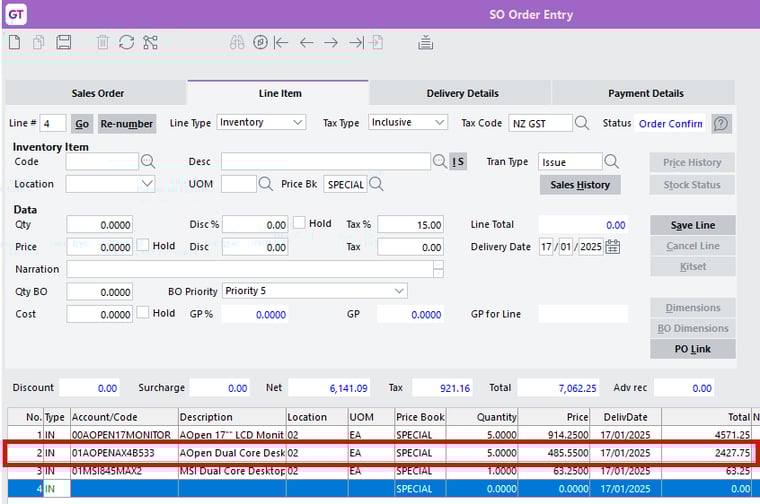
The original 3rd line is now the second line.