
The Query Designer enhancements released in 2024.1 make it easier to migrate customers from MYOB Greentree to MYOB Acumatica. To help you make the most of these enhancements, we’ve added some resources to the migrations folder on the MYOB Greentree Releases page.
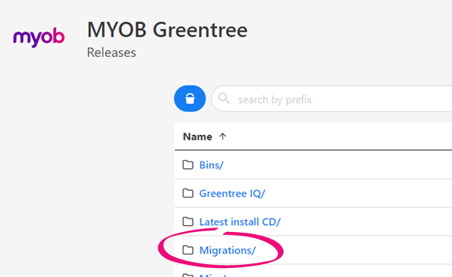
In the folder, you’ll find:
- Full Extract Definitions – This subfolder contains two extract files:
- Migration definition for 2019.3 to 2023.3
- Migration definition for 2024.1 and later

- QEMSchema for 2019.3 to 2023.3 – The Query Extract Manager, which lets you run multiple queries and views simultaneously, is included by default in versions 2024.1 onwards and is supported from 2019.3. If a Greentree system is between 2019.3 and 2023.3, you'll need to load this QEMSchema debug package to the system to use the Query Extract Manager.
You need to rename this package to debug.package before applying it to a system.
- Queries, Views and Dynamic Properties – This subfolder contains individual views, queries and dynamic properties that can be used for migrations. You can import views and queries into Greentree via the Query Designer Manager form. You can import the dynamic properties via Class Maintenance form. Any dynamic property imported for migration purposes will be prefixed with getMigration.
- Designer Query Enhancements 2024.1.mp4 – This is a video demonstrating the Query Designer enhancements.
- README.txt – This file provides some context regarding the migrations folder.
The following migration data sets have been included.
- AP Open Balances
- AR Open Balances
- Bank Accounts
- Currency Exchange Rates
- Customers
- Customer Delivery Addresses
- Fixed Assets
- GL Account
- GL Account Balances for the current posting period
- Inventory
- Inventory Items
- Kitset Components
- IN Analysis information (Posting Classes in MYOB Acumatica)
- Pending Cost
- Stock on Hand – Master Level
- Stock on Hand – Location Level
- Stock on Hand – Serial Lot Master Level
- Stock on Hand – Serial Lot Location Level
- Stock On Hand – Serial Lot by Bin
- Unit of Measure Generic Conversions
- Warehouse information
- Open Purchase Orders
- Open Sales Orders
- Suppliers
To get an overall picture, you’ll need to combine the results of some queries.
|
Data set |
Results to combine |
|---|---|
|
AR Opening Balances |
|
|
AP Opening Balances |
|
|
Inventory costing:
|
|
|
Inventory costing:
|
|
|
Inventory costing:
|
|
|
Inventory costing:
|
|