
You can't edit a transaction if it's been updated elsewhere in MYOB Greentree. Here are a few reasons why this happens:
- The period is closed – this might not be the module you are working in. If you need to update an AR Invoice, General Ledger, Inventory and other modules may need to be open to allow this.
- Another transaction has been applied to the transaction you are trying to edit.
For example, take an AR invoice. If a receipt or credit note has been applied to the invoice, it will be read-only. You can see this at the bottom of the form: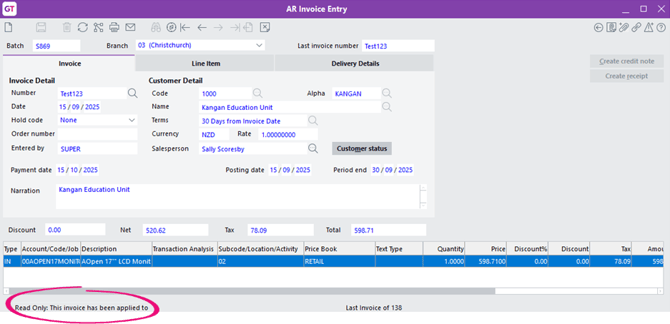
- The transaction has been opened from the Enquiry option.
- If your system uses the Advanced Security Module, your permission might only let enter a transaction but not update or delete it.
If you can't edit a transaction, you might need to reverse it
You can reverse the transaction by entering a credit note or journal.
To unapply a receipt, credit note or journal from an invoice, use the Apply Unapplied Transactions form. This form is available in two places:
- Process > Accounts Receivable > Apply Unapplied Transactions
- Process > Accounts Payable > Apply Unapplied Transactions
Note: If a receipt or payment has been reconciled on a CM bank statement, it will be read-only. You can't unapply the receipt or payment.