To take advantage of Webstore changes as part of a new version, you need to update your system’s Webstore template.
Download the latest Webstore template files.
Save the files to your Webstore templates directory, e.g. C:\Greentree\Webstore\Templates.
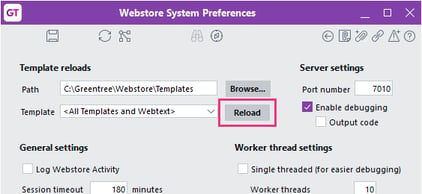
In Greentree, go to System > Webstore > System Preferences.
Make sure the Path is set to your templates directory.
Click the save icon.
Click the Reload button.