
We’ve all experienced the annoying 1301 error at various times when trying to access Greentree records. Here are the details of a useful script to try. Start by going to System > Utilities > System scripts.
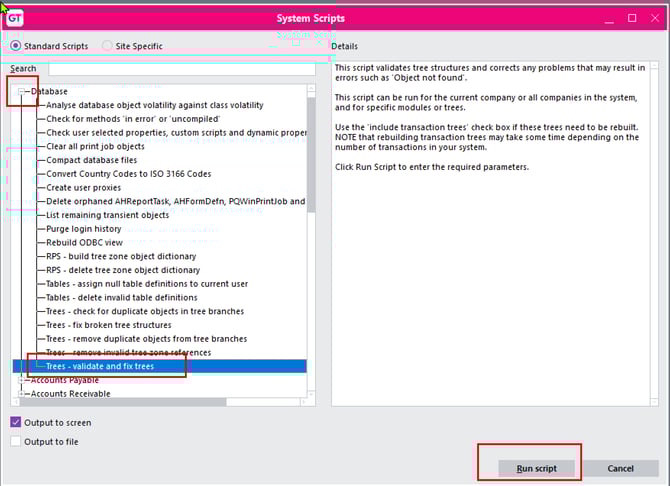
Locate the script under Database, click on it then click Run script button
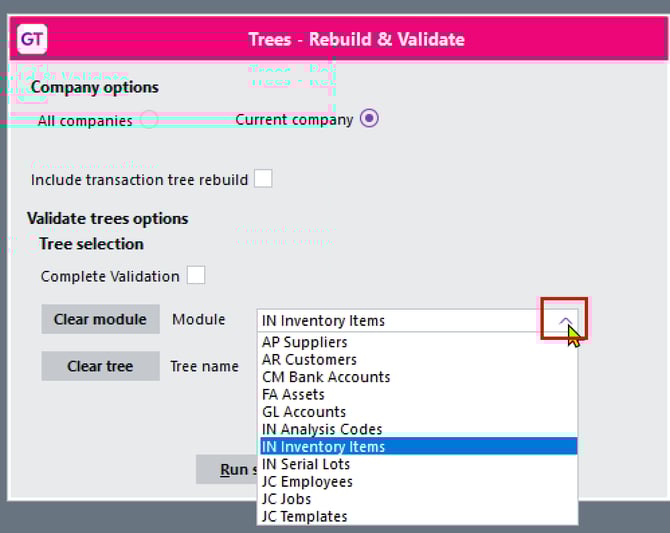
You can choose to run the script for the current company or all companies
Drop down for the module and select the area where you are getting the 1301 error, then click Run Script
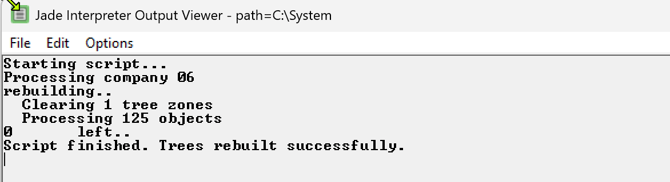
The Jade interpreter windows displays the progress.
When the script is finished go back to your data entry program and see if the error is resolved.
If you still have an error, please save the extract log file and send to gtree-support@myob.com for investigation by your consultant.