
The new features described on this page are available in a debug package, which can only be applied to systems on version 2025.3.0. These new features will also be included in the 2026.1.0 release.
For a summary of Payday Super changes, see Payday Super support.
For detailed steps on how to prepare, see Complying with Payday Super changes.
Setting transaction types as qualifying earnings
We have added a new qualifying earnings setting to pay and deduction transaction types. This setting determines if the transaction type is included in the year-to-date qualifying earnings value reported in the STP file from 1 July 2026.
There are three ways to change the qualifying earnings setting, which are useful in different situations:
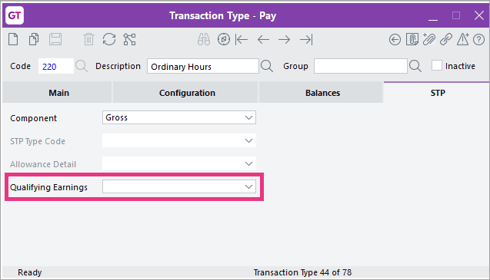
- When adding a new transaction type – On the STP tab of the Transaction Type - Pay and Transaction Type - Deduction forms, set the new Qualifying Earnings dropdown to either Include in Qualifying Earnings or Exclude from Qualifying Earnings.
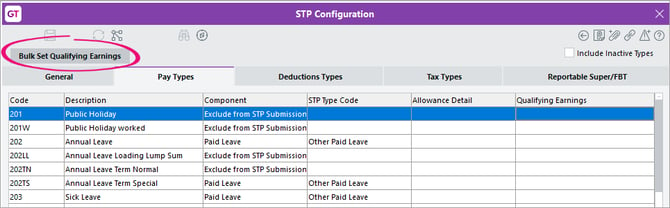
- Setting in bulk to prepare for 1 July – On the STP Configuration form, use the new Bulk Set Qualifying Earnings button. For detailed instructions, Updating payroll settings to comply with Payday Super changes.
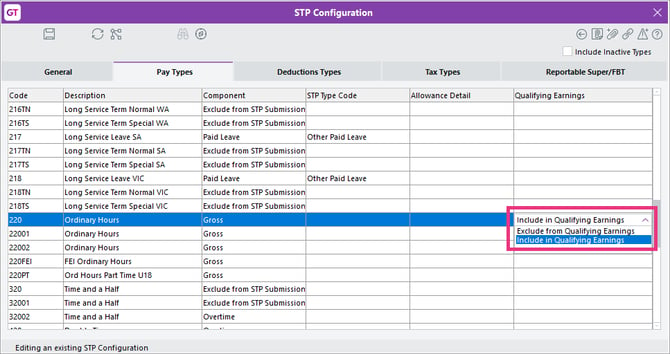
- Making tweaks after setting in bulk – On the STP Configuration form, set the new Qualifying Earnings column to either Include in Qualifying Earnings or Exclude from Qualifying Earnings.
Qualifying earnings on payment in lieu of notice
Although most termination payments are not ordinary time earnings (OTE), payment in lieu of notice for any termination reason is treated as OTE and qualifying earnings. See what payments are qualifying earnings on the ATO website.
To support this, we've added the following new fields:
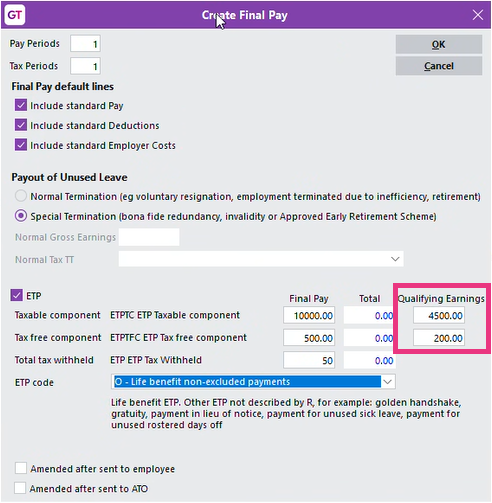
- Qualifying Earnings fields for taxable and tax-free components on the Create Final Pay screen (accessed via the Termination wizard). If an ETP amount includes an amount for payment in lieu of notice, you must enter that amount in the new fields.
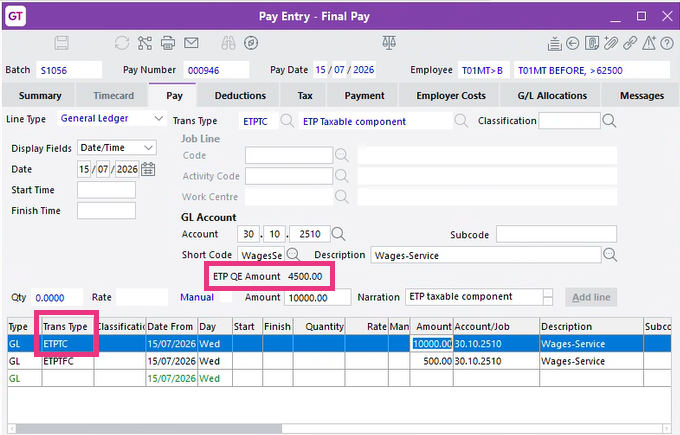
- A ETP QE Amount field on the Pay tab of the Pay Entry form. This read-only field is displayed when you select a line that contains either the ETP Taxable Component or ETP Tax Free Component pay transaction type.
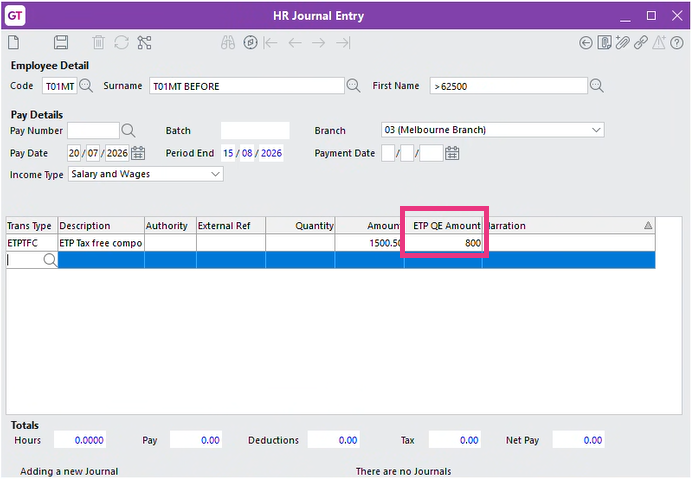
- A ETP QE Amount field on the HR Journal Entry screen. This field is displayed if the transaction type you've entered is either ETP Taxable Component or ETP Tax Free Component.
Yearly basis for calculating maximum super contributions
On the Payroll > Super tab of the HR Module Control form, we've added a Basis column to the SGC Thresholds table. For the 2026–2027 financial year, we've set the basis to yearly. You don't need to make any further changes.
Reminder
SGC thresholds only apply to an employee if a threshold is selected in the SGC Min/Max Check field on the Tax Config tab of the HR Employee Maintenance field. If the field is blank, your company will continue to contribute super to the employee's pay even when they earn more than the maximum threshold.
If you have additional obligations to pay super under an industrial instrument, such as an award or agreement, then you should use a custom threshold.
Super gurarantee warning when paying employees under 18
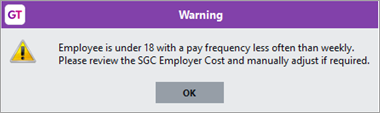
When a pay includes an under-18 employee who isn't paid weekly, you now get a reminder that you might need to manually adjust the SGC employer cost.
For more details, see Paying super guarantee to employees under 18 years old.
Easier to run reports for a specific pay
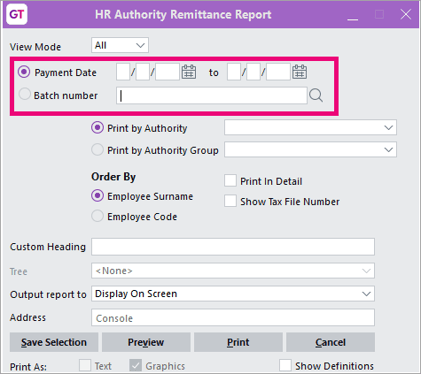
Because you'll be paying super more frequently, we've made it easier to run reports for specific pays. For the following reports, you can select either the new Batch number option or the existing Payment Date option:
-
HR Authority Remittance Report
-
HR Authority Remittance Export Report
-
HR Super Compliance Statement Report
New report for superannuation year-to-date summary
From 01 July 2026, use the new HR Superannuation YTD Summary Report, instead of the old HR Super Reconciliation Report.
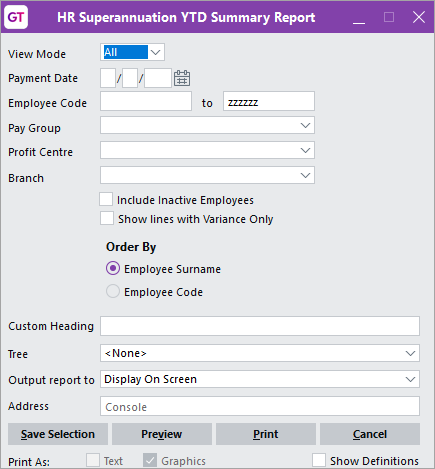
To access the report, go to HR > Payroll > Reports > Superannuation YTD Summary. Enter the Payment Date you are running the report for. Optionally, you can use the other parameters to run the report for a more specific group of employees.
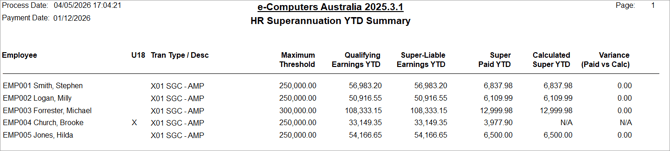
After running the report, review any variances and make adjustments if required.
No changes to the Superstream Alternative File format (SAFF)
You still include the file as usual when sending super payments to a super fund or a super clearing house.