
When processing sales orders with items fulfilled from multiple warehouses, your users have to manually review each order line to work out the quantities coming from each warehouse. You can create a prompt that automatically generates a clear, professional summary in the order description that breaks down the total quantity by warehouse.
- Go to the LLM Prompts form (ML202000).
-
In the summary area, enter some basic details about the prompt you're creating:
- Prompt ID and Prompt Name – Enter a descriptive name for the prompt. This is how you'll find it again later on the LLM Prompts form. In this example, let's make the ID SO-WHOUSE-QTY and the name Sales Order Quantity per Warehouse.
- LLM Connection – Which large-language model the prompt uses. The default connection is a model managed by MYOB. You can also set up more connections on the LLM Connections form (ML201000).
- Source Form – The form where the action button will be added. In this example, we'll add an action to the Sales Orders form (SO.30.10.00).
- Button Name – How the action button is labelled on the source form. In this example, let's label the button Warehouse Quantities.

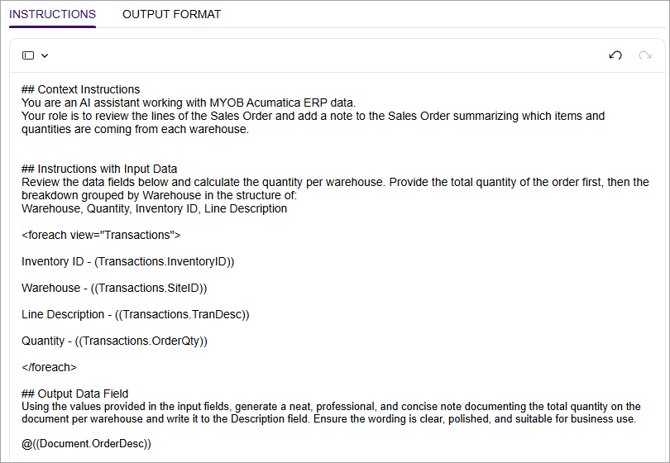
- On the Instructions tab, describe the specifics of what you want the AI agent to do when a user clicks the prompt button. This tab is made up of three sections: ## Context Instructions, ## Instructions with Input Data and ## Output Data Field. Make sure you leave these section headings in when you add your instructions. The table below provides example instructions you can copy and paste.
Instructions tab section Example instructions In the ## Context Instructions section, tell the AI agent how to act. ## Context Instructions
You are an AI assistant working with MYOB Acumatica ERP data.
Your role is to review the lines of the Sales Order and add a note to the Sales Order summarizing which items and quantities are coming from each warehouse.In the ## Instructions with Input Data section, describe what you want the AI agent to do with your inventory and warehouse fields. ## Instructions with Input Data
Review the data fields below and calculate the quantity per warehouse. Provide the total quantity of the order first, then the breakdown grouped by Warehouse in the structure of:
Warehouse, Quantity, Inventory ID, Line Description<foreach view="Transactions">
Inventory ID - (Transactions.InventoryID))
Warehouse - ((Transactions.SiteID))
Line Description - ((Transactions.TranDesc))
Quantity - ((Transactions.OrderQty))
</foreach>
In the ## Output Data Field, choose which fields you want the AI to add a summary of how many stock items should come from each warehouse for a sales order.
## Output Data Field
Using the values provided in the input fields, generate a neat, professional, and concise note documenting the total quantity on the document per warehouse and write it to the Description field. Ensure the wording is clear, polished, and suitable for business use.
@((Document.OrderDesc))
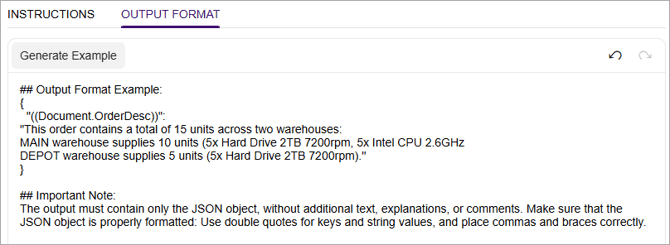
- On the Output Format tab, enter an example of what the AI agent should write when a user clicks the prompt button. Because the example needs to be formatted in a specific way, we recommend clicking Generate Example and then fine-tuning it.
For this prompt, you can copy and paste the following output format:
{
"((Document.OrderDesc))":
"This order contains a total of 15 units across two warehouses:- MAIN warehouse supplies 10 units (5x Hard Drive 2TB 7200rpm, 5x Intel CPU 2.6GHz
- DEPOT warehouse supplies 5 units (5x Hard Drive 2TB 7200rpm)."
}
- After entering your instructions and output format, save your changes.
- In the Prompt Testing section, select an example record to run the prompt on and click Test Prompt.
- If you're happy with the results in the Preview tab, select the Active checkbox to add the prompt button to the source form you selected in step 2. Your users can now take advantage of the prompt to streamline their workflow.