
When logging in with SSO on (Active Directory), you might get taken to a blank screen.
The blank screen doesn't display an error message, but an error gets added to the address bar. For example – myobadvanced.com/Frames/Error.aspx?message=Code%3a+generalException%0d%0aMessage%3a+An+error+occurred+sending+the+request.%0d%0a
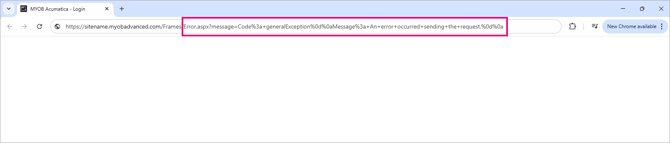
Fixing the issue
If you normally just sign in and use MYOB Acumatica as part of your day-to-day work, contact your IT team or system administrator and share this page with them. The following steps are for them.
- Check if the app secret has expired in Microsoft Entra ID. For instructions, see To Configure Microsoft Entra ID for Integration with Your MYOB Acumatica Instance.
- If the app secret has expired, generate a new one.
If the secret has not expired and users are still getting a blank screen, raise a support ticket with your MYOB Acumatica support provider. - Add the new app secret to the site configuration. For instructions, see Integrating MYOB Acumatica with OpenID Identity Providers.
Best practice
Application secrets in Microsoft Entra ID have expiry dates set when they are created. To avoid disruptions to single sign-on access, secrets should be rotated before they expire.
As a best practice, we recommend keeping at least one native MYOB Acumatica user account available (using the green button login) that:
- does not rely on single sign-on
- does not have Payroll access
- is not configured with
forbidloginwithpassword
This ensures an administrator can still access the site to update the app secret in the Security Preferences screen if single sign-on stops working due to an expired secret.