
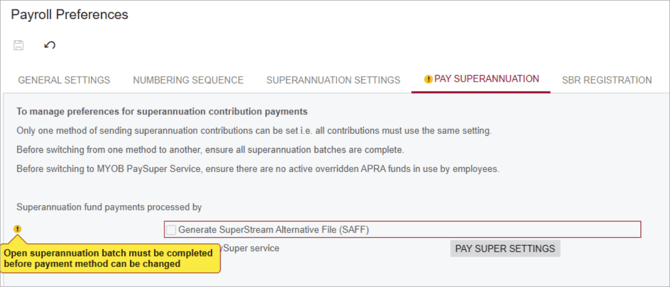
Sometimes when trying to pay superannuation payment with a SuperStream Alternative File (SAFF), you might get a warning: "Open superannuation batch must be completed before payment method can be changed".
You have two options:
- Submit all your open batches with your current payment method, then change your payment method when there are no more open batches.
-
If you don't want to complete the batch before changing your payment method, you can:
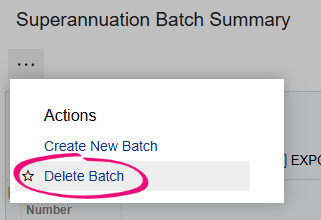
- Delete the batch on the Superannuation Batch Summary form (MPPP4051). Click the three dots icon and choose Delete Batch.
- Go to the Pay Superannuation tab of the Payroll Preferences form and select the Generate SuperStream Alternative File (SAFF) payment method checkbox.
- Create and pay a new super batch.