
Follow the steps below to enable the Flare Apollo integration in the MYOB Workforce Management environment.
Step One:
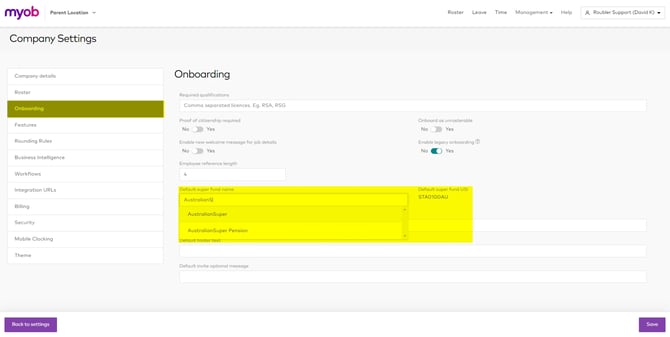
Before enabling the integration, make sure the company you're configuring has a default super fund set up. To verify this, go to the Management drop down > Settings > Company Settings > Onboarding.
Step Two:
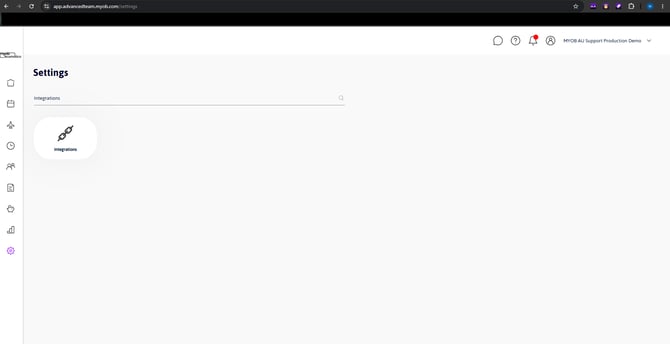
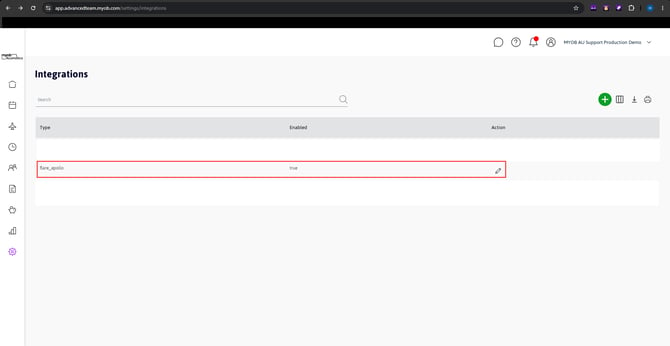
From the Management drop down, select Settings > Integrations
Step Three:
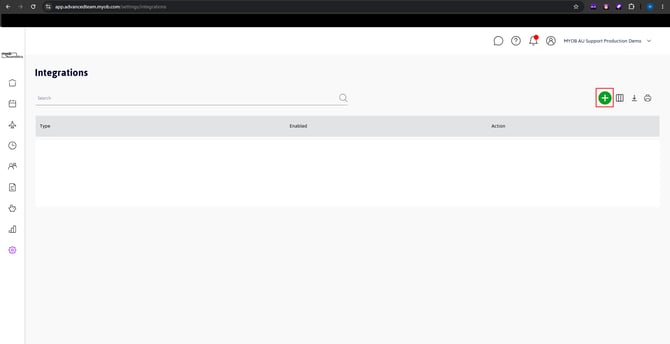
Press the '+' button to add a new integration
Step Four:
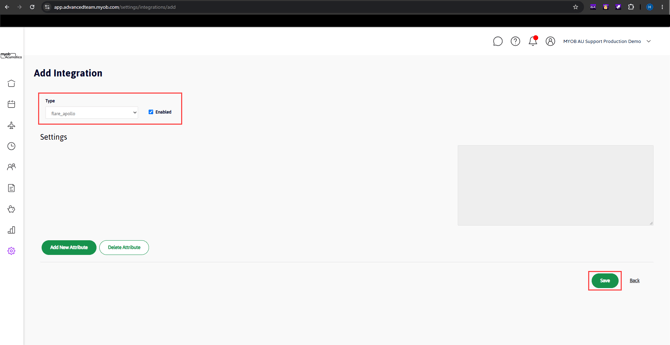
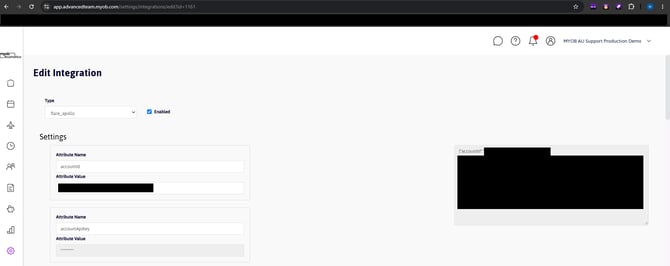
From the Type dropdown, select 'flare_apollo' and ensure the 'Enabled' tick box is checked. Then press 'Save'
Step Five:
Once complete, you will be redirected back to the integrations screen. You should see your Flare Apollo integration and be able to view the Account ID and API Key
NOTE:
When you view the "flare_apollo" integration, you should find that the API details are already populated.