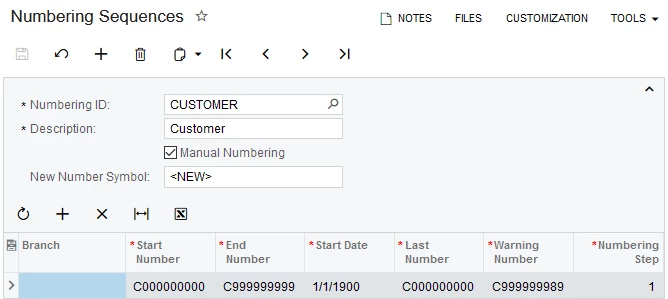
On the Numbering Sequences (CS201010) form, on a user's attempt to configure one of the child numbering sequences: for Companies, Branches, Suppliers, Customers, or Employees, the following error occurred (see the screenshot below):
'Auto Numbering format violates the segment format. Segmented Key: 'xx' Segment: 'x''.
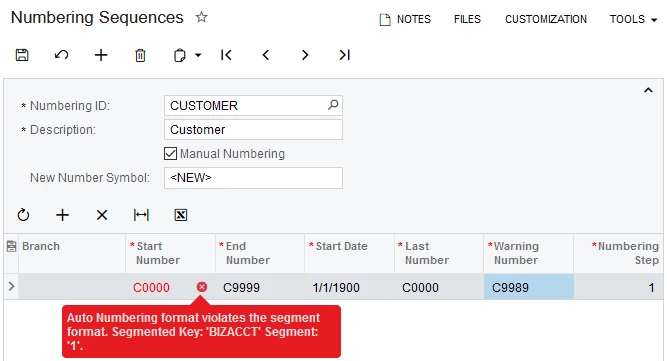
Root cause
For example, a user is trying to change the Customer numbering sequence Start Number to C0000 with 5 characters, the error occurs because one of the child BIZACCT sequences has already assigned a Start Number sequence of more than 5 characters.
Solution
To resolve the error, the numbering sequences for Companies, Suppliers, Customers, and Employees must be configured to use the same number of characters as the longest sequence already assigned.
In our example, the Supplier ID's have already been assigned an ID using 10 characters (see screenshot below).
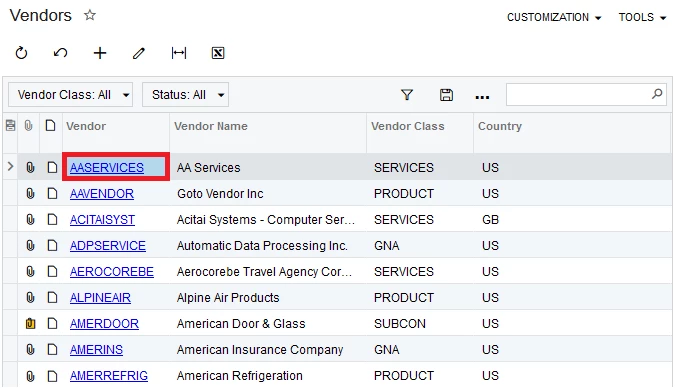
Thus, all BIZACCT child numbering sequences must be configured for 10 characters.
Results
On the Numbering Sequences form, the Customers numbering sequence can be configured using 10 characters.