Date: 4/2/2025
Status: Awaiting Fix
Reference: ADV-74911
Issue
On the Shipment Confirmation (SO642000) report, the system displayed the quantity for all shipments related to the order in the Qty. Shipped column instead of the quantity for a particular shipment
Workaround
As a temporary workaround, you can insert the SOShipLine.ShippedQty value into the Qty.Shipped field of the Acumatica Report Designer.
To apply this workaround, you must have the Report Designer installed. Alternatively, you can contact your Acumatica support provider for assistance with modifying the report.
Workaround steps :
Step 1: Open the Acumatica Report Designer
Step 2: Open the Shipment Confirmation (SO642000) report
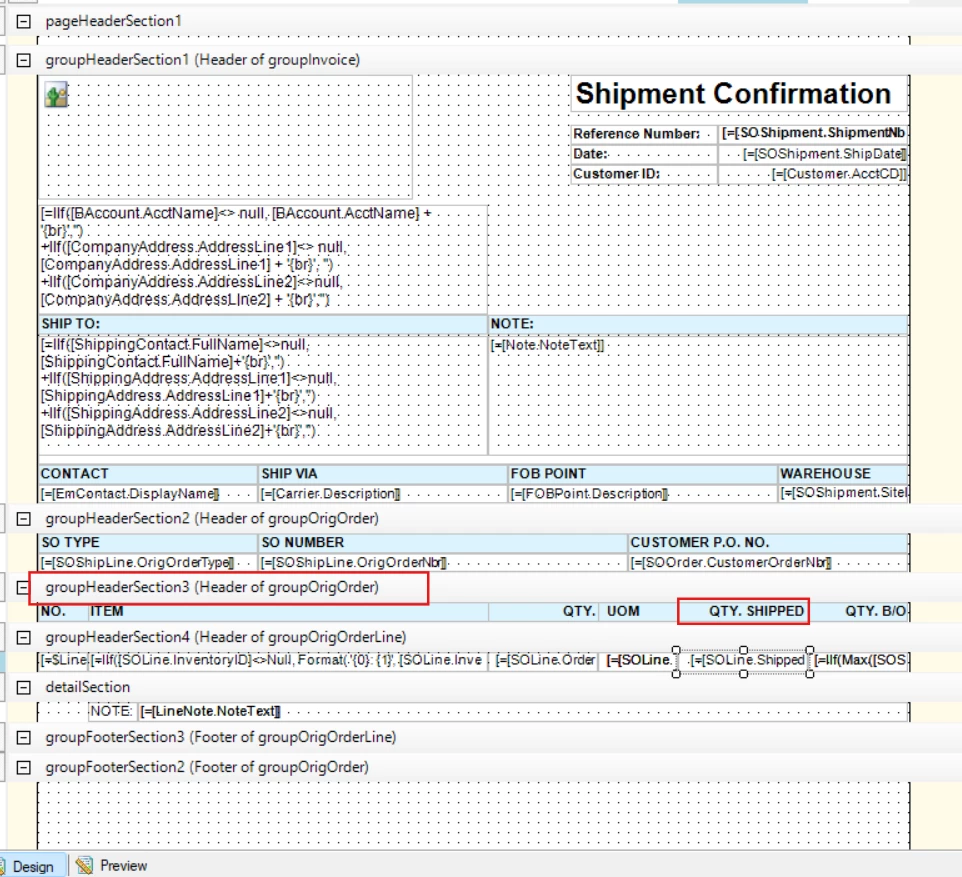
Step 3: Navigate to groupHeaderSection3 and locate the QTY.SHIPPED column
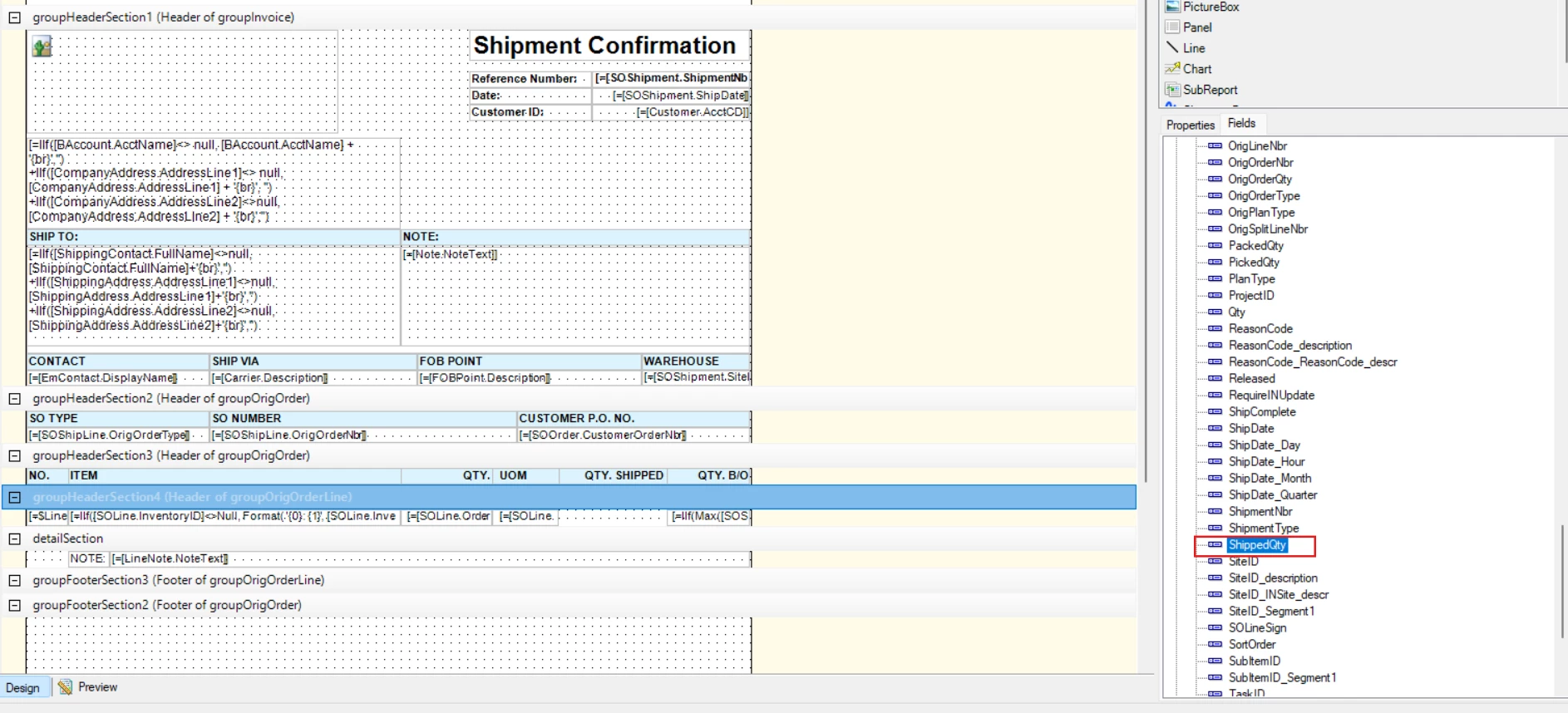
Step 4: Navigate to groupHeaderSection4 and locate the [SOLine.ShippedQty] text field under the QTY.SHIPPED column
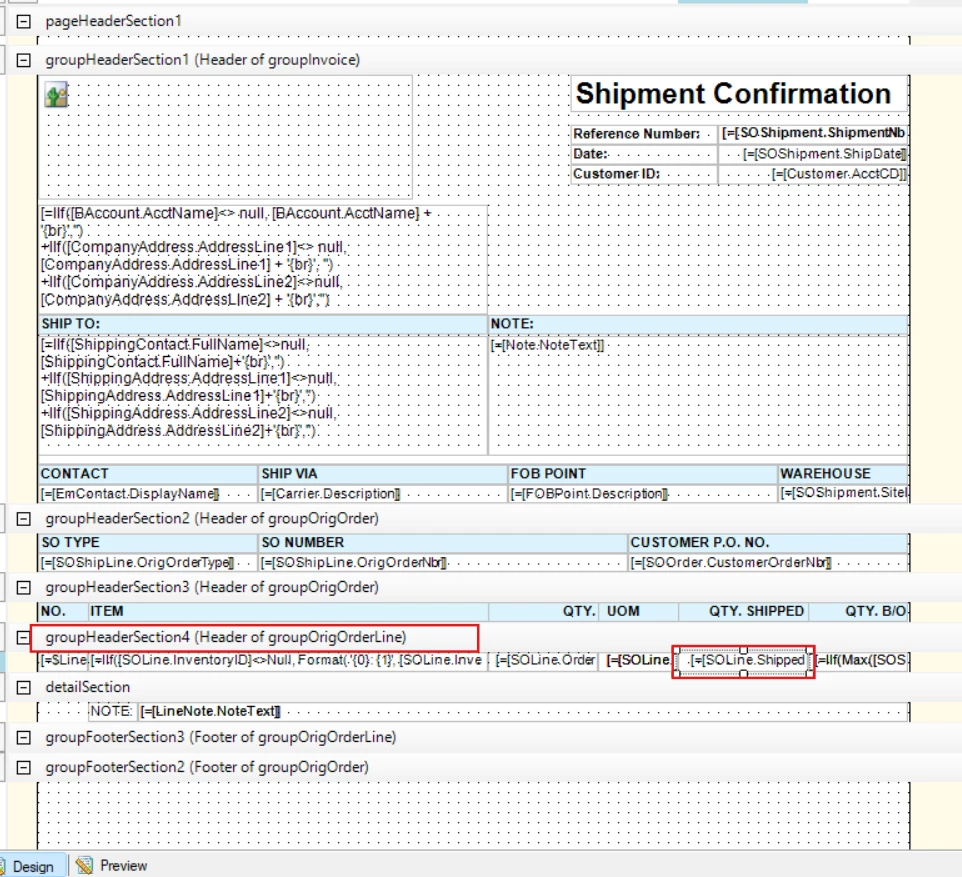
Step 5: Replace the [SOLine.ShippedQty] text field with [SOShipLine.ShippedQty] by dragging and dropping the field.