Date: 23/10/2025
Status: 2026R1
Reference: CE00062562/ADV-73157
Issue
The AR Balance by Customer report (AR632500) does not correctly follow the expected sorting behavior when the "Consolidate data by parent account" option is selected. Specifically, the transactions listed do not sort by Posted Date or Document Date as expected; instead, they appear in a seemingly random order. Additionally, modifying the sorting filters on the form does not affect the output, indicating that the sorting logic is not functioning properly in this context.
Workaround
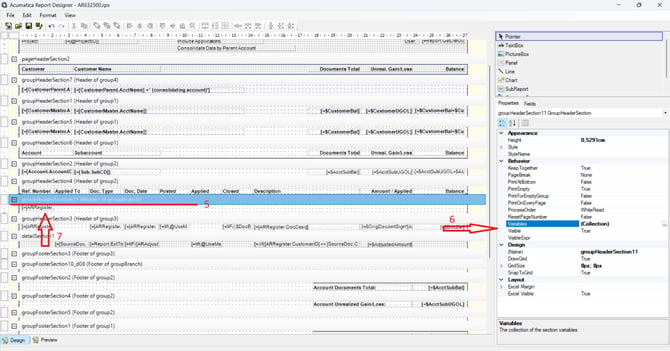
To show hidden branch grouping:
-
Need to have installed Report Designer
-
On AR632500 click Edit Report
-
Open downloaded file in the Report Designer
-
Login
-
In report designer seek for (Header of groupBranch)
-
In its properties, set Visible = True