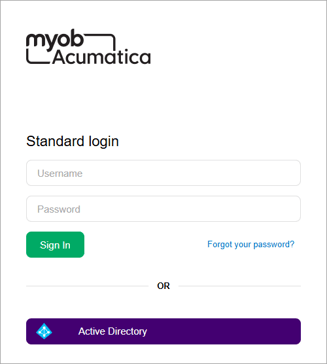
There are three main ways to sign in to MYOB Acumatica:
-
The green Sign in button.
-
The purple Sign in with MYOB ID button.
-
For some sites, a single-sign on button (e.g. Active Directory) that replaces the MYOB ID button.

Green Sign in button in the Standard login section
Standard login just uses a username and password, and doesn't use two-factor authentication (2FA).
When an MYOB Acumatica administrator created your user account, they also had to create a username and password for your account. These are your standard login credentials, which you would have received in an onboarding email when you were given access to MYOB Acumatica.
Purple Sign in with MYOB ID button
MYOB ID is our default two-factor authentication (2FA) service. 2FA adds an extra layer of security to your site on top of standard login.
Clicking Sign in with MYOB ID takes you to a different sign-in page. To be able to sign in, you need to have an MYOB ID account that is associated with your MYOB Acumatica account.
Depending on your company's policies, you might be required to create an MYOB ID account and sign in with 2FA.
Single sign-on button (e.g. Active Directory)
If you see a single sign-on button (e.g. Active Directory) instead of the Sign in with MYOB ID button, use it to sign in with the same credentials that you use when signing in to your work computer.